
Download Unstock – AI-Powered Custom Stock Images Generator for Designers & Marketers
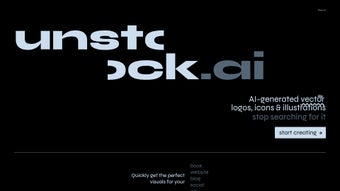
Unstock is a revolutionary AI-driven web application that transforms the way creatives generate custom stock images. By harnessing the power of DALL·E 2, Unstock enables users to create unique, high-quality visuals instantly—no more endless scrolling through generic stock libraries. Whether you're designing a website, crafting social media content, writing a blog, or publishing a book, Unstock delivers tailored illustrations and photos on demand.
With a clean, intuitive interface and advanced customization options, this tool streamlines the creative workflow and eliminates the frustration of finding the perfect image. You can input detailed prompts, select from diverse artistic styles, and generate images in seconds. The platform supports cropping, resizing, and exporting in multiple formats, ensuring compatibility across all digital platforms.
Unstock is ideal for freelancers, marketers, content creators, and designers seeking a secure, efficient, and cost-effective alternative to traditional stock image services. Best of all, it's accessible from any device with a web browser—no downloads required. Start creating stunning visuals today with Unstock.
Key Features of Unstock
Unstock stands out in the crowded field of digital design tools thanks to its powerful feature set built around artificial intelligence. One of the most impressive aspects is its integration with DALL·E 2, a state-of-the-art image generation model capable of interpreting complex prompts and delivering visually accurate results. Whether you need a futuristic cityscape, a whimsical character illustration, or a professional product mockup, Unstock turns your words into stunning visuals. The platform offers a wide range of artistic styles—including realistic, cartoon, watercolor, cyberpunk, and minimalist—allowing users to match their brand aesthetic or project theme with precision.
Another standout feature is the prompt refinement system. Users can adjust tone, lighting, composition, and perspective within the interface, giving them granular control over the final output. This level of customization ensures that even niche or highly specific requests are met with accuracy. Additionally, Unstock includes built-in editing tools such as cropping, resizing, and background removal, which are essential for adapting images to various platforms like Instagram, Pinterest, or landing pages. All generated images are delivered in high-resolution formats, including PNG and JPG, ensuring crisp quality for both web and print use.
Security and privacy are also prioritized. Unlike some free image generators, Unstock does not store or share your prompts or outputs without consent. Your creative ideas remain confidential, making it a safe choice for commercial projects.
The platform also supports batch generation, allowing users to create multiple images in a single session—perfect for content calendars or large-scale campaigns. With real-time previews and instant updates, Unstock makes the entire creative process faster and more intuitive. Whether you're a solo designer or part of a marketing team, these features make Unstock a must-have tool for modern digital content creation.
How to Use Unstock: Simple Installation & Step-by-Step Guide
One of the biggest advantages of Unstock is its accessibility—there’s no installation required. As a web-based application, you can access Unstock directly from any modern browser on Windows, Mac, Android, or iOS devices. Simply visit the official website and sign up for a free account. The registration process is quick and secure, requiring only an email address and a password. Once logged in, you’ll be greeted by a minimalist dashboard that guides you through the image creation process.
To generate your first image, click on the “Create New Image” button. In the prompt field, type a detailed description of what you want—be specific about style, subject, mood, and composition. For example, “a serene mountain lake at sunrise, digital painting style, soft lighting, peaceful atmosphere.” Then, choose a style from the dropdown menu. Unstock offers presets like ‘Realistic,’ ‘Oil Painting,’ ‘Line Art,’ and ‘3D Render,’ each producing distinct visual outcomes. After confirming your settings, click “Generate,” and within seconds, your custom image appears.
Once generated, you can refine the image using the built-in tools. Crop it to fit your layout, adjust the size, or remove the background with a single click. You can also regenerate the image if the first version doesn’t meet your expectations.
When satisfied, download the image in your preferred format. All downloads are free for basic users, with premium plans offering higher resolution and commercial usage rights. The entire workflow—from idea to final asset—takes less than a minute, making Unstock ideal for fast-paced content creation.
Compatibility & System Requirements
Unstock is designed to be platform-agnostic, ensuring maximum accessibility for users across different devices and operating systems. It runs seamlessly on Windows 10 and later, macOS 11 (Big Sur) and newer, Android 8.0 and above, and iOS 13 and later. Since it’s a web application, there are no native installers or system requirements beyond a stable internet connection and a modern browser such as Chrome, Safari, Firefox, or Edge.
This cross-platform compatibility means you can start creating images on your desktop, continue editing on your tablet during a commute, and finalize them on your smartphone—all with the same account and consistent performance. Whether you're working from a home office, a coffee shop, or on a business trip, Unstock keeps up with your workflow. The responsive design ensures that the interface adapts perfectly to any screen size, from large monitors to small mobile displays.
For users concerned about data security, Unstock uses HTTPS encryption and complies with GDPR and CCPA standards. Your images and prompts are not stored on third-party servers unless you explicitly choose to save them to your account. This makes Unstock a reliable choice for both personal projects and commercial use. Additionally, the platform supports multiple languages, including English, Spanish, French, German, and Japanese, broadening its appeal to a global audience. With no software updates to manage and automatic backend improvements, you always have access to the latest features without any hassle.
Pros and Cons of Unstock
Pros
- Instant AI Image Generation – Create high-quality visuals in seconds using DALL·E 2-powered technology.
- Extensive Style Variety – Choose from realistic, cartoon, watercolor, cyberpunk, and other artistic styles.
- Zero Installation Required – Accessible via any web browser—no downloads or updates needed.
- Advanced Editing Tools – Crop, resize, and remove backgrounds with built-in functionality.
- Secure & Private – Prompts and outputs are not stored without consent; GDPR-compliant.
- Free Tier Available – Generate and download images at no cost, ideal for beginners.
- Batch Generation – Produce multiple images in one session for content planning.
Cons
- Limited Free Usage – The free plan has a cap on monthly image generations.
- Dependent on Internet Connection – Requires stable online access for full functionality.
- Learning Curve for Advanced Prompts – Crafting highly detailed prompts may take practice for new users.
- No Offline Mode – Cannot use the tool without an active internet connection.
- Commercial Use Requires Subscription – Free images are for personal use only.
Frequently Asked Questions (FAQ)
Can I use Unstock images for commercial projects?
Yes, but only with a paid subscription. The free plan allows usage for personal projects. Premium plans include commercial rights, enabling you to use generated images in ads, websites, products, and marketing materials without licensing fees.
Is Unstock free to download and use?
Unstock is completely free to use online—no downloads required. You can generate and download images at no cost with the free plan. However, advanced features like higher resolution exports and commercial licensing are available through paid subscriptions.
What AI model does Unstock use?
Unstock leverages DALL·E 2, one of the most advanced image generation models developed by OpenAI. This ensures high accuracy, creative diversity, and realistic outputs based on your text prompts.
Can I edit the generated images after creation?
Absolutely. Unstock provides built-in editing tools such as cropping, resizing, background removal, and style adjustments. You can refine your image until it perfectly matches your vision.
Does Unstock store my images or prompts?
Unstock prioritizes user privacy. Your prompts and generated images are not stored on their servers unless you choose to save them to your account. All data is encrypted and protected under GDPR and CCPA regulations.
Final Verdict: Why Unstock is a Game-Changer for Content Creators
Unstock is more than just a tool—it’s a creative revolution. By combining the power of DALL·E 2 with a user-friendly interface and robust editing features, it empowers anyone to generate custom stock images on demand. Whether you're a blogger, marketer, designer, or entrepreneur, Unstock eliminates the time and frustration of searching for the perfect image. With instant generation, cross-platform compatibility, and strong privacy safeguards, it’s a secure and efficient solution for modern content creation.
The free tier makes it accessible to beginners, while the premium plans offer scalable options for professionals and businesses. Its ability to deliver unique, copyright-free visuals without licensing fees is a major win for creative teams. If you're tired of generic stock photos and want to stand out with original, tailored visuals, Unstock is the answer.
Ready to transform your creative workflow? Download Unstock today and start generating custom images in seconds. Unlock your full creative potential—no limits, no waiting, just results.



.png)



